Green Leaf Brush: Elevating Digital Art with Organic Texture
There is a distinct moment in digital painting when the work feels too sterile. The lines are perfect, the colors are flat, and the image lacks the breathing room that traditional media provides. This is where the Green Leaf Brush steps in, not just as a tool, but as a bridge between the precision of software and the unpredictability of nature. For artists, designers, and hobbyists alike, integrating organic elements into digital workflows can be the difference between a good composition and a captivating one.
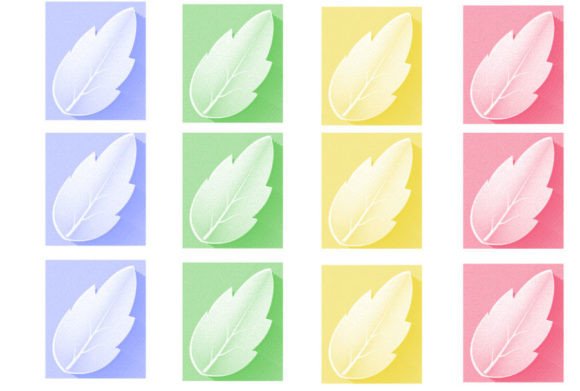
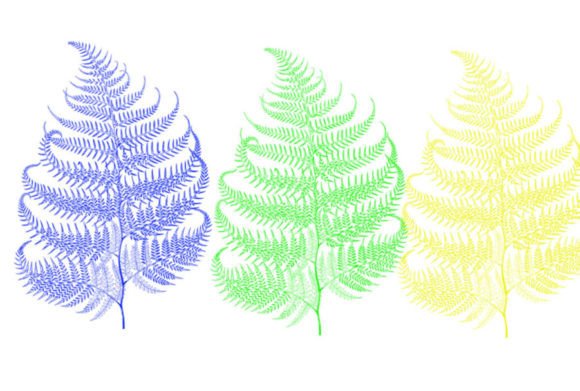
When we talk about this specific brush, we are referring to a specialized digital asset designed to replicate the intricate veins, edges, and textural qualities of foliage. Unlike generic leaf stamps that look repetitive and artificial, a high-quality Green Leaf Brush offers variation and depth. It allows you to paint with intention, layering transparency and texture to create environments that feel lived-in and real. Whether you are illustrating a children’s book, designing a packaging label, or concepting a video game environment, understanding how to leverage this tool can significantly streamline your creative process.
Real-World Applications for Designers and Illustrators
The utility of a specialized brush extends far beyond simple decoration. In professional settings, time is often the most scarce resource. Manually painting every individual leaf in a dense forest background is not only tedious but can lead to wrist strain and creative burnout. Here is how different professionals utilize the Green Leaf Brush to solve practical problems.
Concept Art and Environment Design
For concept artists working in gaming or film, speed and atmosphere are paramount. When blocking out a jungle scene or an overgrown ruin, the Green Leaf Brush allows for rapid iteration. You can establish the mass and flow of vegetation in minutes rather than hours. By adjusting the opacity and flow settings, you can create depth, pushing some foliage into the background while keeping foreground elements sharp. This helps directors and art leads visualize the mood of a scene without getting bogged down in minute details too early in the pipeline.
Graphic Design and Branding
In the world of branding, especially for organic products, cosmetics, or wellness brands, the aesthetic needs to feel natural and trustworthy. A designer might use the Green Leaf Brush to create custom borders, background textures, or accent elements for packaging. Because the brush mimics real botanical structures, it adds an authentic touch that stock vectors often lack. It avoids the "clip-art" look, giving the final design a bespoke, hand-crafted feel that resonates with consumers looking for authenticity.
Digital Scrapbooking and Stationery
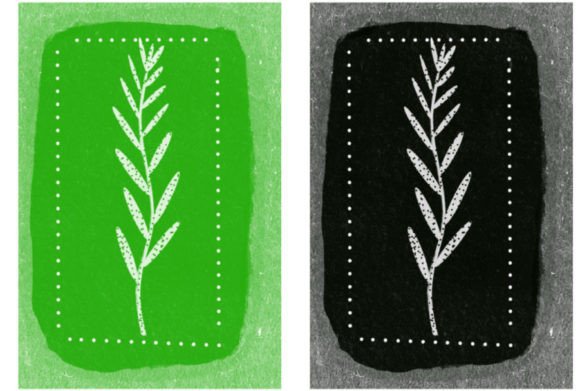
Creative hobbyists who engage in digital scrapbooking or design printable stationery find immense value in these tools. Creating wedding invitations, birthday cards, or journal layouts requires delicate, elegant touches. The Green Leaf Brush can be used to frame text, create watermarks, or add subtle decorative corners. The ability to customize the color and size means the same brush can adapt to a rustic autumn theme or a fresh spring palette, offering versatility without the need to purchase dozens of different assets.
Understanding the Technical Delivery
Before diving into creation, it is crucial to understand what you are actually acquiring. Digital brushes are not physical objects; they are code-based instructions that tell your software how to render a mark. When you purchase or download a set featuring the Green Leaf Brush, you are typically receiving a compressed file. Specifically, 🔥WHAT’S INCLUDED IN THIS BRUSH SET – The ZIP file .brushes or .swatches inside – 1 Brush.
This simplicity is often a strength. Rather than sifting through hundreds of low-quality variations, you get a single, highly refined tool. However, this also means you must know how to install it. The ZIP file contains the core data—either a .brushes file for Photoshop or a .swatches file for other compatible programs. You will need to extract this file from the archive before importing it into your preferred software. For those new to digital assets, this step can seem daunting, but it is a one-time process that unlocks endless creative potential.
Maximizing the Potential of a Single Brush
Having only one brush in the set might initially seem limiting, but it encourages mastery. Instead of jumping between fifty different leaf shapes, you learn to manipulate the single Green Leaf Brush to serve multiple purposes. Here are practical ways to expand its utility:
- Rotation and Angle: Never stamp the leaf in the same orientation. Rotate the brush tip randomly to mimic the chaotic growth patterns of real plants. Nature rarely moves in straight lines.
- Opacity Layering: Build up density by lowering the opacity. A single stamp might look flat, but five overlapping stamps at 30% opacity create a rich, translucent effect that resembles light filtering through canopy.
- Color Variation: Do not stick to a single shade of green. Use the brush with dark greens for shadows, yellow-greens for highlights, and even browns for decaying leaves. This chromatic variation adds realism.
- Size Dynamics: Vary the size drastically within the same composition. Large leaves in the foreground provide scale, while tiny, indistinct specks in the background suggest distance and atmospheric perspective.
Common Considerations and Limitations
While the Green Leaf Brush is a powerful asset, it is not a magic wand. Relying on it exclusively can lead to repetitive patterns if you are not careful. The human eye is excellent at detecting repetition, so if you stamp the same leaf shape in a grid-like pattern, the illusion of nature breaks instantly. To combat this, always combine the brush with manual painting techniques. Use the brush for the bulk of the foliage, then go in with a standard hard round brush to paint unique, standout leaves or broken branches.
Another consideration is software compatibility. Ensure that the file format included in the ZIP matches your program. A .brushes file is native to Adobe Photoshop, while other programs like Procreate, Clip Studio Paint, or Affinity Designer may require different formats. Always check the product description to confirm compatibility before purchasing. If the set only includes Photoshop files, you may need to convert them or find an alternative if you work primarily on an iPad or other platforms.
Additionally, resolution matters. If you are printing large-format posters, ensure the brush tip is high-resolution. A pixelated leaf edge can ruin the professionalism of a print piece. Most modern digital brushes are vector-based or high-resolution raster images, but it is worth testing the brush at 100% zoom before committing to a final design.
Integrating Organic Tools into Your Workflow
Adopting the Green Leaf Brush is about more than just adding leaves to a canvas; it is about shifting your mindset towards organic construction. Start by observing real plants. Notice how leaves cluster, how they droop under their own weight, and how light interacts with their surfaces. Use the brush to mimic these observations rather than just decorating empty space.
For beginners, start small. Add a few leaves to a portrait to frame the subject. For advanced users, challenge yourself to create an entire ecosystem using only this one tool combined with color and opacity adjustments. The constraint often breeds creativity. By mastering the nuances of a single, high-quality tool, you develop a deeper understanding of digital painting mechanics, making you a more versatile and efficient artist regardless of the subject matter.
Ultimately, the value of the Green Leaf Brush lies in its ability to save time while enhancing aesthetic quality. It removes the technical barrier of painting complex botanical details from scratch, allowing you to focus on composition, lighting, and storytelling. Whether you are a seasoned professional or a curious novice, having this tool in your digital arsenal opens up new avenues for expression and efficiency.